

Getting Started
Connect Telegram, prepare your account, and start your first Claw session.
Start On The Web
Users onboard into Claw from the web app at app.suzi.trade.
The current onboarding flow is a short setup sequence that does three things:
- connect
@suzinotifybot - configure your Claude Code OAuth token
- connect
@suziclawbot
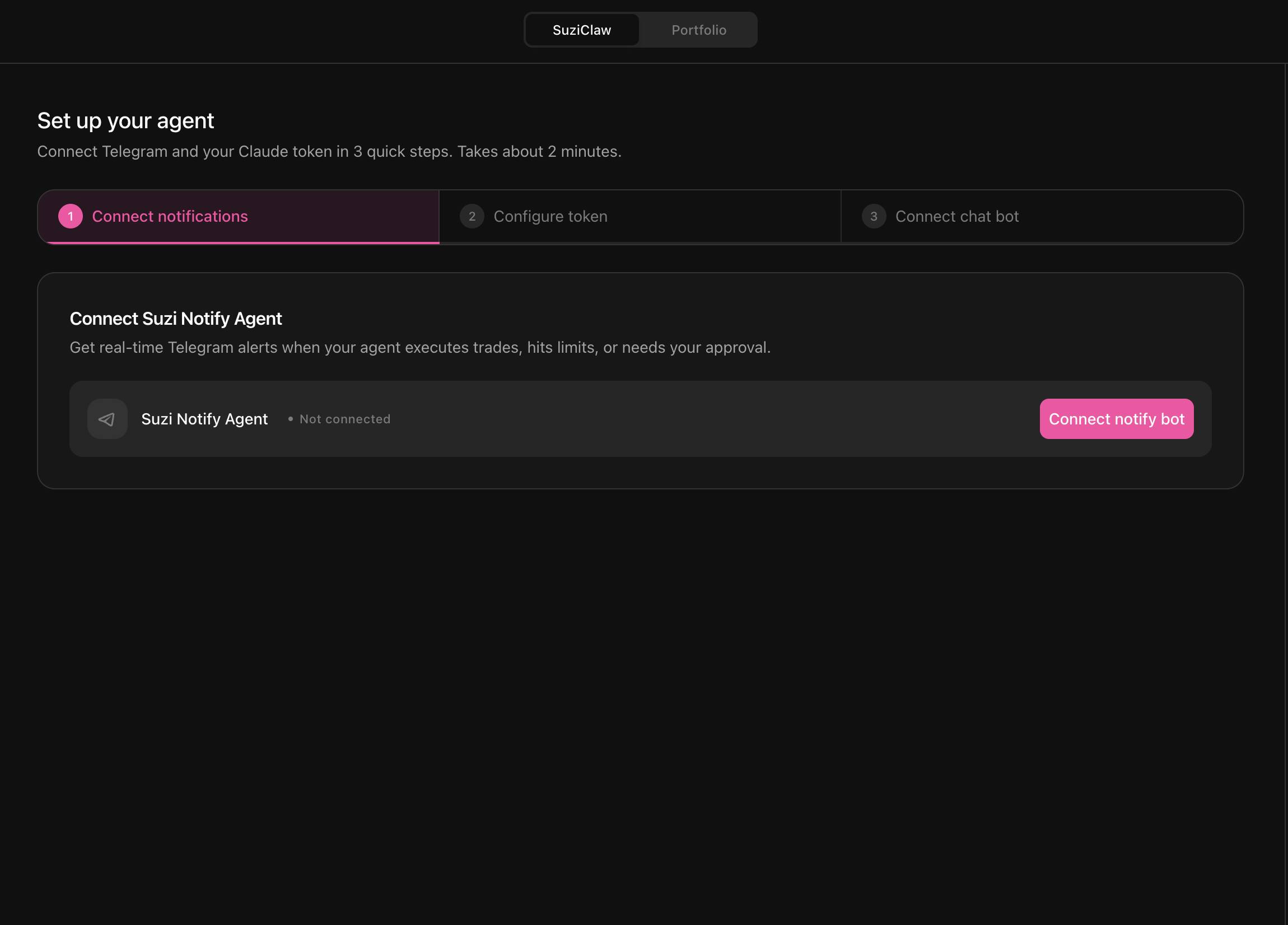
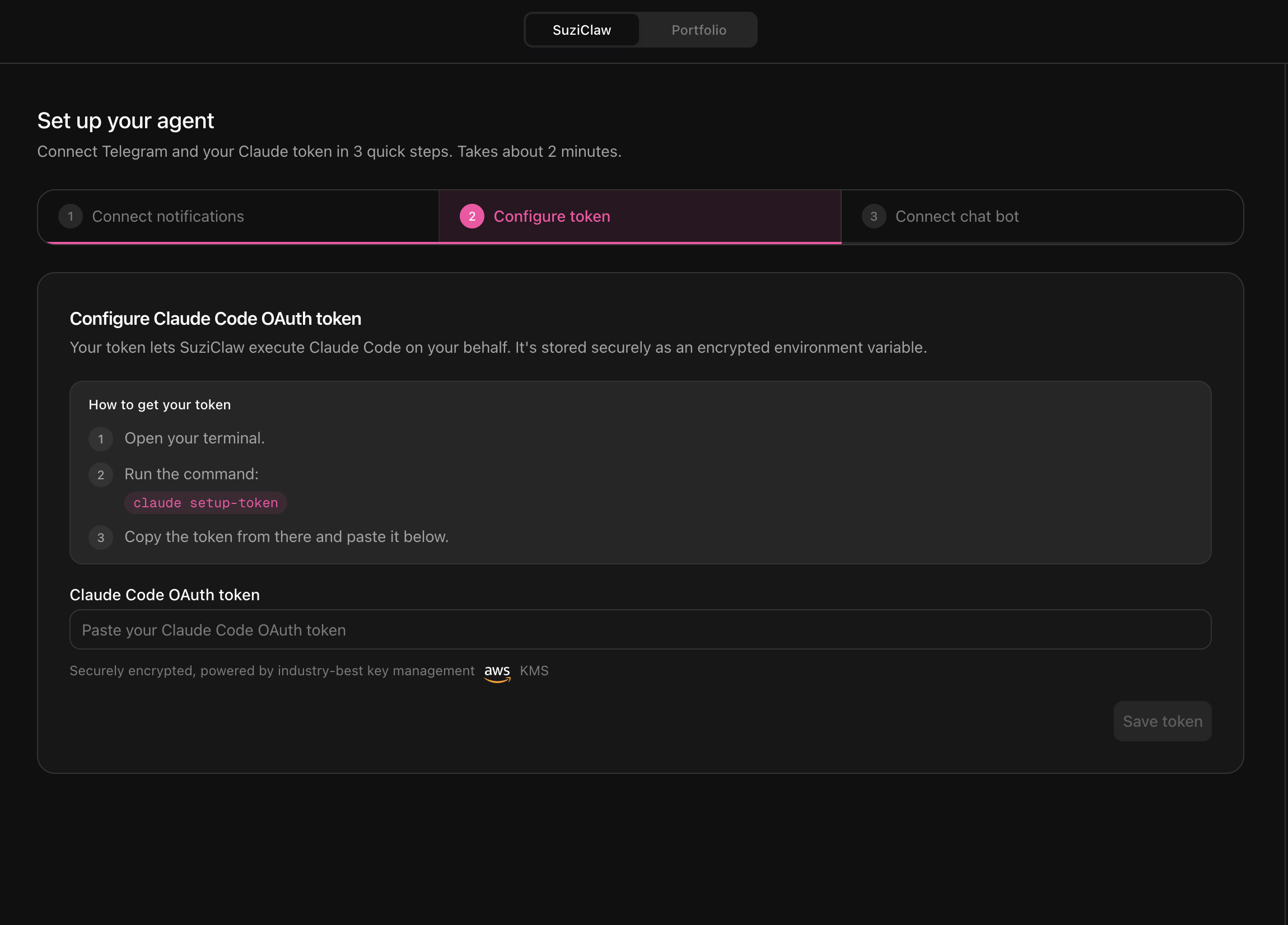
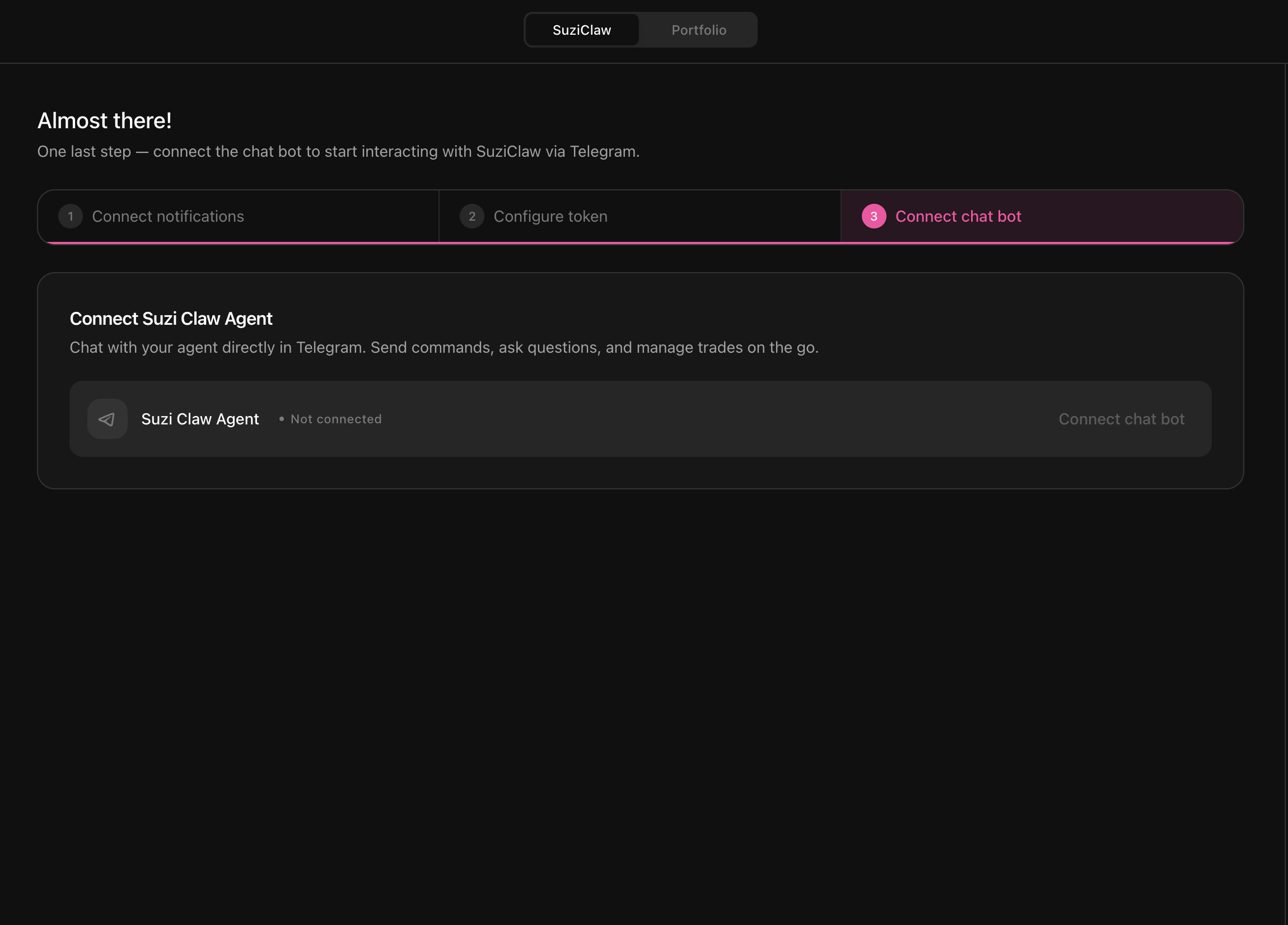
You cannot meaningfully use Claw until all three setup steps are complete. If the Claude token, @suzinotifybot, or @suziclawbot is not connected yet, the Telegram side is not fully usable.
Configure The Claude Token Correctly
For the token step, the intended flow is:
- Make sure you have at least the
$20Claude plan. - Install Claude Code.
- Run this in your terminal:
claude setup-token- Claude Code will redirect you to the web flow.
- Complete that flow in the browser.
- Back in terminal, Claude Code will output a token that looks like
sk-ant-oat1-***. - Paste that token into the Suzi onboarding token field.
First-Run Flow
- Finish the onboarding flow in the web app.
- Connect
@suzinotifybot, configure your Claude token, and connect@suziclawbot. - Use the Telegram handoff generated by that flow to open Claw.
- If Telegram prompts you to initialize the linked chat, tap
Start. - Use normal chat messages for everything after that.
What To Do If Claw Is Not Ready
If Claw replies like your Telegram is not linked or not ready yet, go back to the web onboarding flow and make sure all three setup steps are complete:
@suzinotifybotconnected- Claude token configured
@suziclawbotconnected
Then retry opening the Telegram chat.
After Setup
- For prompt patterns and examples, go to Using Claw.
- For screenshot and file workflows, go to Files, Images & Outputs.
- For how session continuity works, go to Memory, Context & Sessions.